While writing my latest post, I realized the number of images might make loading quite slow, and that’s when I found out about jpegoptim and Oxipng. Those tools can, losslessly, significantly reduce the size of JPEG and PNG files (among others) thanks to black magic operations involving the Huffman algorithm, as well as stripping metadata.
There are a number of GUIs that make use of those utilites. I personally like OptiImage:
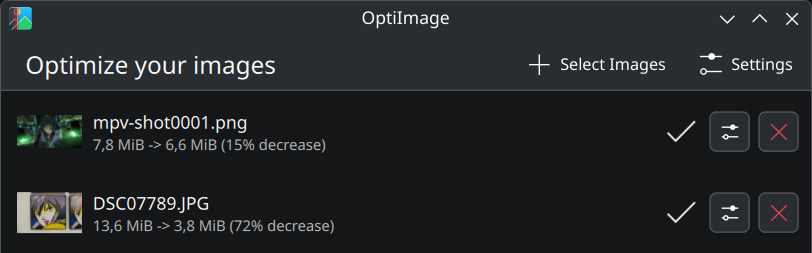 72% decrease in size from a digital camera. Not bad!
Keep in mind that you might mess up the orientation of your pictures by stripping metadata. You can either rotate them “for real” based on the EXIF rotation data before minimizing them, or use a tool to restore the correct orientation after the fact. I prefer the second option because I’m lazy: I use XnView🇫🇷, mainly because it supports JPEG lossless rotation and batch processing.
I also chose to display thumbnails on the page instead of the full pictures to make loading even faster. Clicking on the image reveals the full-size image. I made the thumbnails manually by downsizing the pictures and passing them through jpegoptim as well.
The result is quite nice: a lot of thumbnails for only 1.79 MB of total data transferred (no cache), and faster loading of full-size images.
I tried to reduce the footprint of pictures stored by WhatsApp on my phone, but it appears the app already uses jpegoptim as OptiImage was not able to reduce their size further.