Introduction
Given what’s happening in the world right now, I really want to minimize my reliance on US-based services and Big Tech (“Les GAFAM” for French readers), even more so than a few months ago. Here’s a quick summary of what I use and do in an effort to become independent from those corporations. Almost everything mentioned is FOSS (Free and Open-Source Software).
This is mainly addressed to tech-savvy people, but it can give you some ideas to get started if you’re not one (yet) :). Each solution will be attributed a “pain level”, which rates how painful the setup was for me, with my knowledge at the time. It’s therefore entirely subjective and is mainly just for fun. Feeling interested but lost? Feel free to reach out! See about page.
And if you’re asking why do all this:
- I want to have control over my data, I do not want my information sold by data brokers
- I think privacy is a fundamental right and that more people should care
- I want to own things instead of subscribing to services, which are enshitiffied update after update, quarterly result after quarterly result - there are paid services with ads now, are we for real?[insert many more?] But I guess line must go up because shareholder angry if line go down
- I do not want my daily activities to support evil companies a.k.a. Big Tech (ad revenue, “““AI””” training on my data, etc.)
- It’s part of my hobbies - no I’m not a masochist I promise
- Other reasons I’ve forgotten at the time of writing or that I’m too lazy to write down
Self-hosting
It doesn’t get better than that, if you have the means and technical ability. I have a dedicated server at home that hosts most of the services I’m going to list. It’s a repurposed mini PC, but a Raspberry Pi or an old desktop or laptop is more than enough to get started. You could also rent a VPS if you have the money and don’t want to trouble yourself with the hardware (but in that case you would be using someone else’s computer, that’s what “cloud” really is…).
First and foremost - a domain name
I recommend getting a domain name. It makes self-hosting much easier and prettier: no need to deal with a potentially changing IP all the time (take advantage of DynDNS if your ISP does not provide static IPs and if your router supports it). I purchased mine at OVHcloud, formerly OVH, a French “cloud” company. I find the price fair, and the new online dashboard is alright.
Nextcloud - replaces most of the Google suite
Pain level: 2/5 - installation instructions are rather clear, and I had little experience with self-hosting at the time.
The features I use are:
- Cloud storage
- Files
- Notes
- Tasks and reminders
- CalDAV and CardDAV server for calendar and contacts
- Bookmarks (mobile and browser synchronization thanks to Floccus)
- Nextcloud Office to replace Google Docs, Sheets, etc.
- Push notifications from scripts to my phone
The mobile app is great for file management. You need a separate app for notes, Nextcloud Notes, and it really sucks. Notes very often appear blank when I open them. I much prefer Quillpad, which you can connect to your Nextcloud instance. For contacts and calendar sync, you’ll need a separate app like DAVx⁵ as Android does not natively support CalDAV/CardDAV, which is frankly absurd in 2026. DAVx⁵ is basically set and forget. My calendar app of choice is Etar. For tasks and reminders, I use Tasks.org.
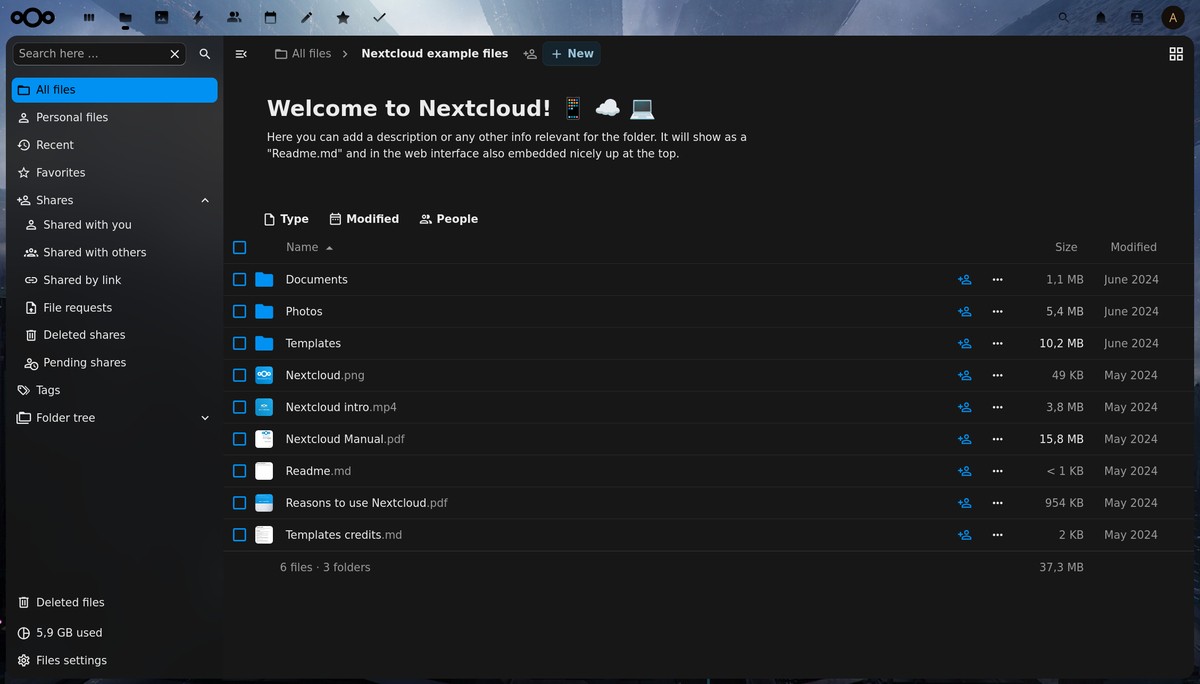 Nextcloud web interface
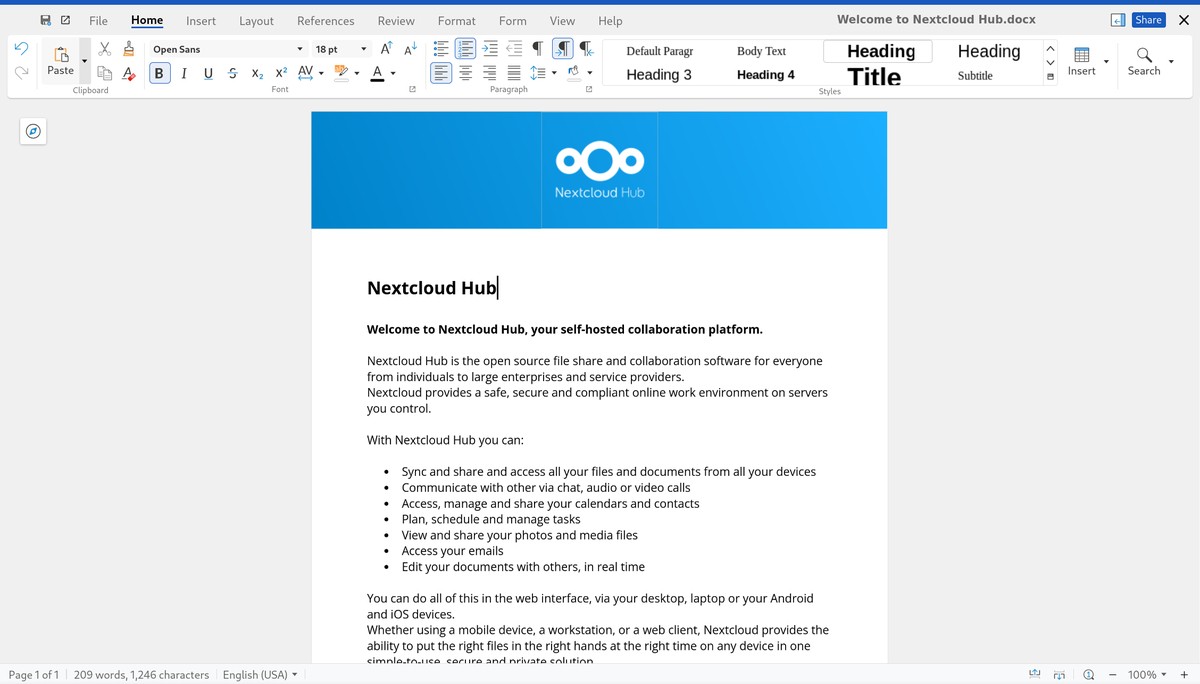 Nextcloud office
Immich - replaces Google Photos
Pain level: 1/5 - docker setup, quite straightforward.
Besides basic photo/video storage and viewing, the highlight feature for me is the locally-running face, object and text recognition. Immich can leverage a dedicated GPU for super fast processing if you have one. Otherwise, the CPU will do just fine, albeit a lot slower and less efficiently. It’s also super handy to share pictures with friends and family, with the ability to create custom links with a password and an expiry date. Both the web and Android clients are great.
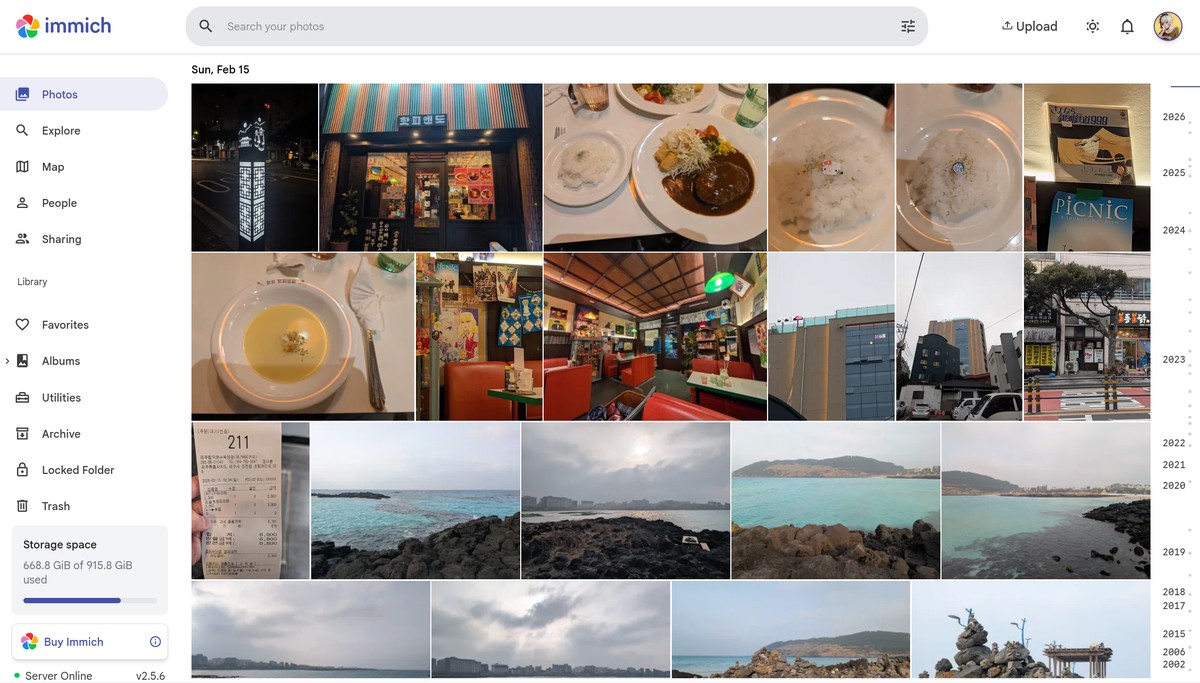 Immich web client
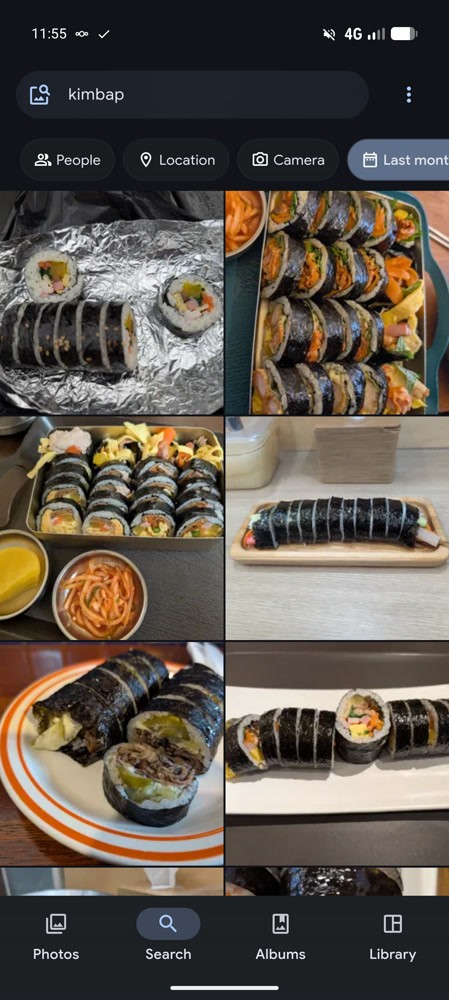 Immich Android app, contextual search
Navidrome - replaces Spotify
Pain level: 2/5 - docker setup, struggled a bit to find suitable clients for desktop and mobile.
Navidrome is a Subsonic-API piece of software that you can install on a server to stream music from a desktop or a mobile. The unfortunate reality is that self-hosting music is not free as in free or charge, since you need to buy it (Bandcamp, Beatport, CDs…), but at least it’s free as in freedom: no subscription required, no geo-restriction because of copyright and whatnot, you listen on your own terms. You could also sail the high seas, but I’m not getting into that. Side note, if you buy music on Bandcamp Fridays, 100% of the revenue goes to the artist!
It supports on-the-fly reencoding, in case your network conditions do not allow lossless streaming. It offers a web client for desktop, but you can also find thin clients like Feishin, which I quite like. As for mobile, there’s also a variety of options. I use Synfonium, which you can purchase on the Play Store or from the developer directly according to a thread on the forums, although I’m not sure if anybody has had success with that recently. Symfonium is very complete and customizable. It really can replace Spotify, local caching of songs included! I especially like the recent addition of the parametric equalizer.
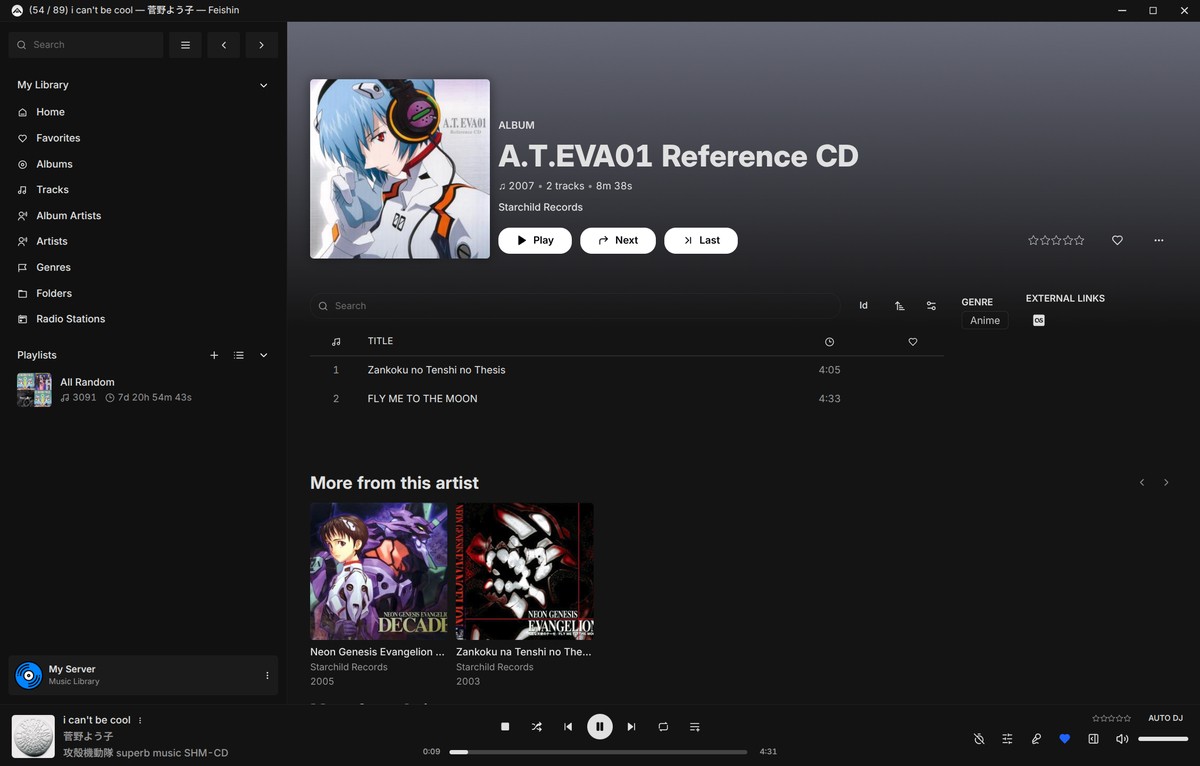 Feishin
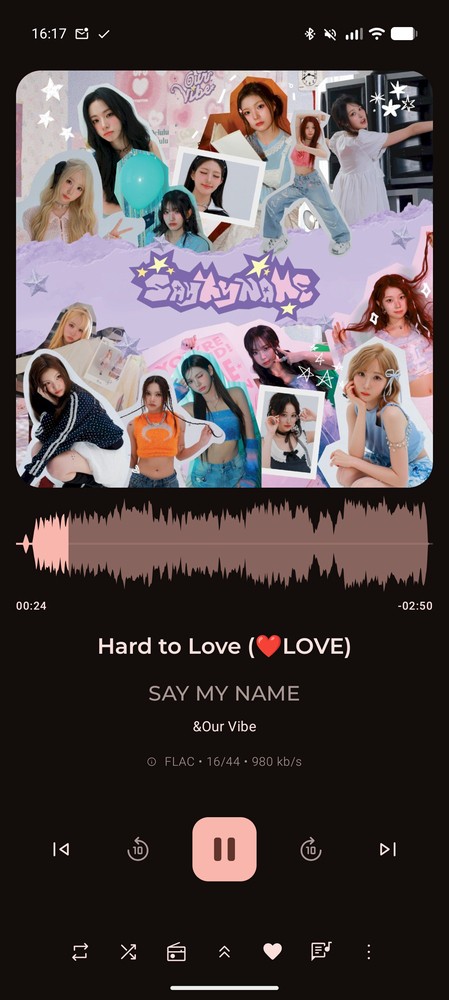 Synfonium Android app
Jellyfin - replaces Netflix
Pain level: 4/5 - docker setup, had to reorganize my video library a bit to follow the Jellyfin naming conventions, hardware acceleration can be a bit tricky to setup, stylized subtitles (.ass) can be hit or miss without a bit of fiddling, especially on the native clients, ripping Blu-rays is not straightforward.
This one is harder to recommend, because sourcing the required hardware, software and media legally is expensive. You need a specific kind of Blu-Ray drives (LibreDrive compatible) if you’re going to go feed your library with physical media, and potentially a lot of storage space. Consider the abundant second-hand market for Blu-rays if you want keep costs down. If you live in the UK, I don’t envy you, I just wish we had CEX over here. A good friend of mine took me to a CEX store in Brighton a few years ago and I bought some great movies for just a few pounds (if you’re ever reading Lukas, thanks man, CEX is great - don’t read that out loud).
You also need decent hardware on the server side to take advantage of all features, especially hardware-accelerated transcoding. Other than that, Jellyfin is mature and works well. The native clients for desktop and mobile are fine. There are some great alternatives out there. I quite like Findroid (mobile, direct play only, no transcoding) and Fladder (desktop and mobile). Side note, Blu-Ray quality is so, so much better than the über compressed streams on Netflix and such, even after reencoding to save storage space.
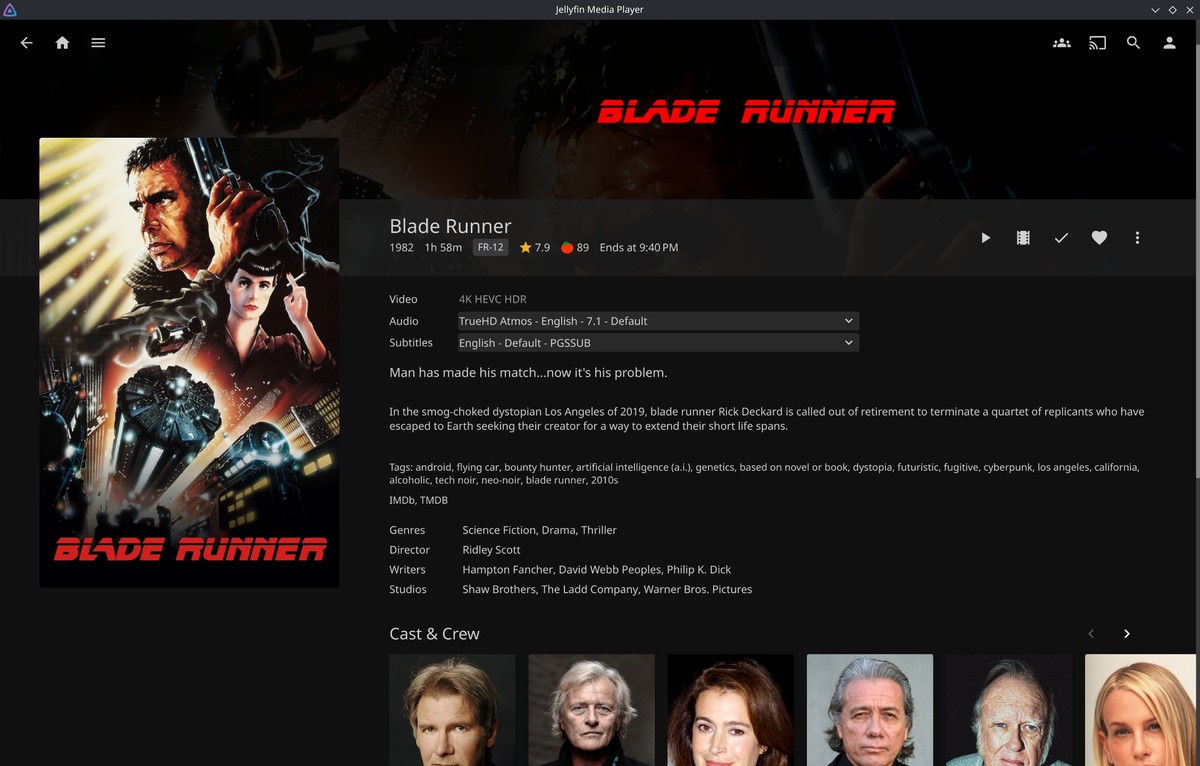 Jellyfin Media Player on Linux
Resources:
- Jellyfin website
- Blu-Ray ripping:
Stalwart - replaces Gmail
Pain level: great and humbling learning opportinuty, a.k.a. maximum - I knew next to nothing about DMARC, DKIM AND SPF when I installed and setup Stalwart (and still do…). The documentation is clear, but you need solid fundamentals in all things domain management, certificates, reverse proxy and networking. Careful with your IP reputation!
Once you manage to set it up, Stalwart is great! You can import an export of your Gmail/other provider inbox, although my attempts were unsuccessful (100% a skill issue on my part). I use Thunderbird for my desktop and mobile client needs (Thunderbird for Android is basically K-9 Mail rebranded). Don’t forget to setup push notifications for incoming e-mails on mobile.
Operating systems
Linux - replaces Windows, even for gaming
Pain level: 2/5 - Linux distributions are quite easy to install nowadays, even in dual boot configurations. There are plenty of helpful resources online if you’re a newbie. Gaming can be hit or miss, but it’s a lot more hit than miss these days (thank you, Valve!)
I’ve been using Linux instead of Windows for almost three years now. Probably the best decision I’ve ever made. No more pop ups about OneDrive, Copilot, Office or whatever subscription service Microslop wants to shove into my face. No more crazy long update times, slow start menu, crashing Windows Explorer, spying…
I’ve switched to Fedora after more than a year with Debian (both running KDE Plasma for the desktop environment). Everything works great, I have found alternatives to almost all the programs I was used to on Windows when they didn’t have a Linux counterpart, and I even game on Linux. Gaming can be a bit tricky, and sometimes impossible with kernel-level anti-cheats - which are an abomination you should avoid like the plague if possible - but it’s quite straightforward most of the time, at least with the games I play. I’ll to share my experience and tips sometime this year.
Some great resources on YouTube to ease the pain:
- Veronica Explains
- Bread on Penguins
- The Linux Experiment - I found his gaming on Linux video very useful
GrapheneOS - replaces Android
Pain level: 2/5 - the installation instructions are very clear and easy, it’s just a bit of a pain to wipe everything if your phone is already setup.
GrapheneOS is a privacy and security-focused alternative to Android, built on FOSS Android, available for Google Pixel devices only. Yes, you need Google hardware to avoid Google, although this might change soon. No more Google bloatware/spyware and consequently, quite a lot of storage space reclaimed.
GrapheneOS lets you use sandboxed Google Play Services and the Play Store if you so desire. There are only two caveats to me: some banking apps will refuse to launch because they consider the device insecure - it’s not, it’s in fact probably more secure than a stock Google Pixel, it’s just not “certified” by Google - and Google Wallet as well as most other NFC payment apps will refuse to work.
Other stuff
LLMs - or “““AI”””
Pain level: 0/5 - non US-based alternatives to LLMs exist, and they work great for my use cases.
I only sometimes use LLMs - mainly for translations in Japanse and Korean and to check for correctness in English - but I avoid OpenAI, Anthropic and the likes when I do. Those companies are literally evil (I’m not going to explain why, just watch interviews of their top people and read their tweets, you’ll understand).
You can definitely self-host an LLM, and there are plenty of ressources online to help you do that, but I found myself relying on online services as of late because my hardware is not capable enough for accurate responses. My picks are Lumo by Proton and Mistral.
The former is privacy respecting, the latter is French, both are plenty for my use cases and have mobile clients. The Lumo app is okay (probably a web wrapper/Chromium-based app), and I’ve never tried Mistral’s.
FUTO Keyboard - replaces Gboard and co
Added on 2026-03-11: pain level: 1/5 - Requires a tiny bit for dictionaries and customization to your linking.
All the data you output, private or otherwise, goes through your keyboard app. For example Gboard, the default on Google Pixel devices, or Samsung Keyboard on Samsung devices. If you don’t trust themn, you can opt for an open-source and privacy friendly alternative, FUTO Keyboard. FUTO is fully offline, even for voice input, which is based on OpenAI Whisper. Note that the app will ask you for a financial contribution before you can use that feature. Even though it’s still an alpha at the time of writing, the app is very stable and featureful.
Things I haven’t been able to replace
Google Maps and YouTube
The crowd-sourced nature of the data present in Google Maps combined with the sheer amount of users makes the app very powerful and hard to compete with. I use it to discover things to visit, check out menus, reviews, photos of places… I don’t think any FOSS competitor exists as far as the data aspect is concerned. The only exceptions I know are Naver and Kakao Maps, which are widely used in South Korea. Google Maps is kind of useless there, as their laws prevent the app from providing navigation and accurate satellite imagery. I also found the data on the Korean apps more plentiful and up to date.
Update 2026-03-11: Google Maps will soon be fully functionnal according to Reuters.
As for YouTube, well, it’s virtually a monopoly. Most of the content creators I like upload their videos there. Although, I make my experience with the app and website less painful and ad-free thanks to Revanced, SponsorBlock and PipePipe.
Social media and messaging apps
I use WhatsApp, Instagram and Discord. I would love to delete my accounts on those platforms, but I also want to stay in touch with family and friends, the vast majority of whom are not willing to switch to more privacy respecting services like Bluesky, Matrix, Signal, etc., which I understand and respect.
I actually had deleted Instagram altogether in 2024, but decided to create another account to keep in touch with the people I spontaneously connect with. For instance I was fortunate enough to travel to South Korea last month and I made a friend there. We’re keeping in touch on Instagram! 서인, if you’re reading this, 안녕, you’re very cool and I’m glad we met :).
I may have lied, about this being a “quick summary”. My bad.